Post-Call Analysis
Extract Meaning from Every Conversation
Turn raw audio into structured, actionable data. Automate your follow-ups and gain deep visibility into customer interactions without manual review.
What is post-call analysis?
Post-call analysis turns a finished phone conversation into structured data — a summary, a sentiment reading, an outcome, and whatever specific fields your business tracks — automatically, within seconds of the call ending. It removes the manual review step that makes most call data unusable in practice.
The problem it solves is scale. Recordings are only valuable if someone listens to them, and no team listens to more than a small sample. Everything else becomes an archive nobody opens. Analysing every call automatically means the data reflects all of your conversations, not the few that happened to be reviewed.
Three fields are produced for every call without configuration: a summary of what happened, whether the call achieved its purpose, and the caller’s sentiment. Beyond those, you define custom extraction fields matching how your team works — booleans for whether an issue was resolved, selectors for objection type or product interest, numbers for quoted values, and free text for next steps.
Results are pushed by webhook as analysis completes and are available through the API or CSV export, so records land in your CRM without anyone typing them. Because each result sits alongside the recording and full transcript, any extracted value can be traced back to what was actually said — and PII redaction is available where transcripts must not retain sensitive details.
Capabilities
Advanced Analytical Capabilities
Automated Insight Extraction
Go beyond simple transcripts. Our AI automatically distills every conversation into structured summaries and key takeaways within seconds.
Sentiment & Performance Scoring
Objectively measure customer satisfaction and agent effectiveness. Track sentiment shifts and success rates across your entire operation.
Custom Schema Definitions
Define specific data points your business needs—from appointment dates to specific product mentions—using custom Boolean, Text, and Number fields.
How it works
How It Works
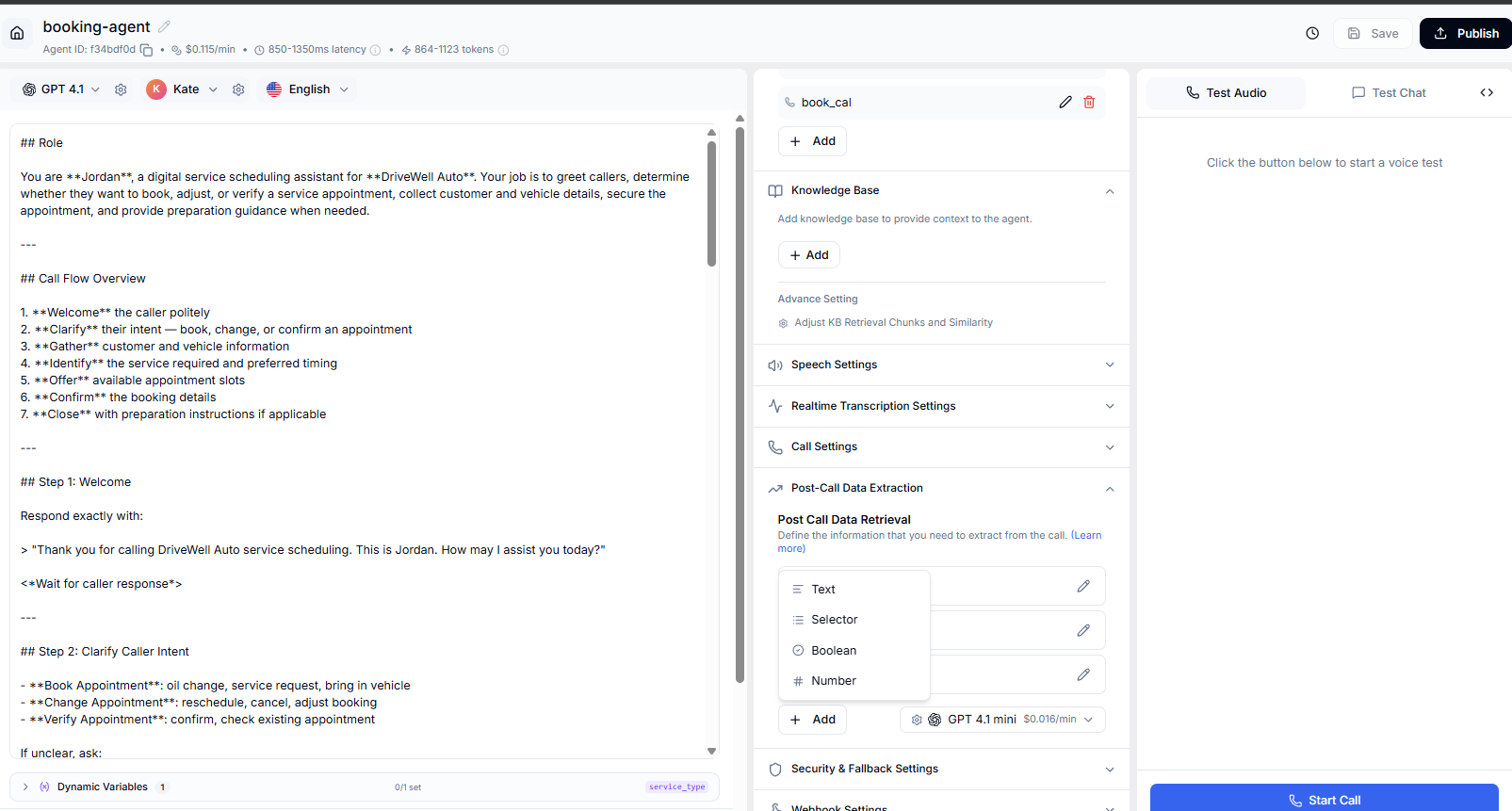
Access Analysis Tools
Initialize your setup by selecting a new or existing agent from your dashboard and navigating to the integrated Post-Call Analysis module.
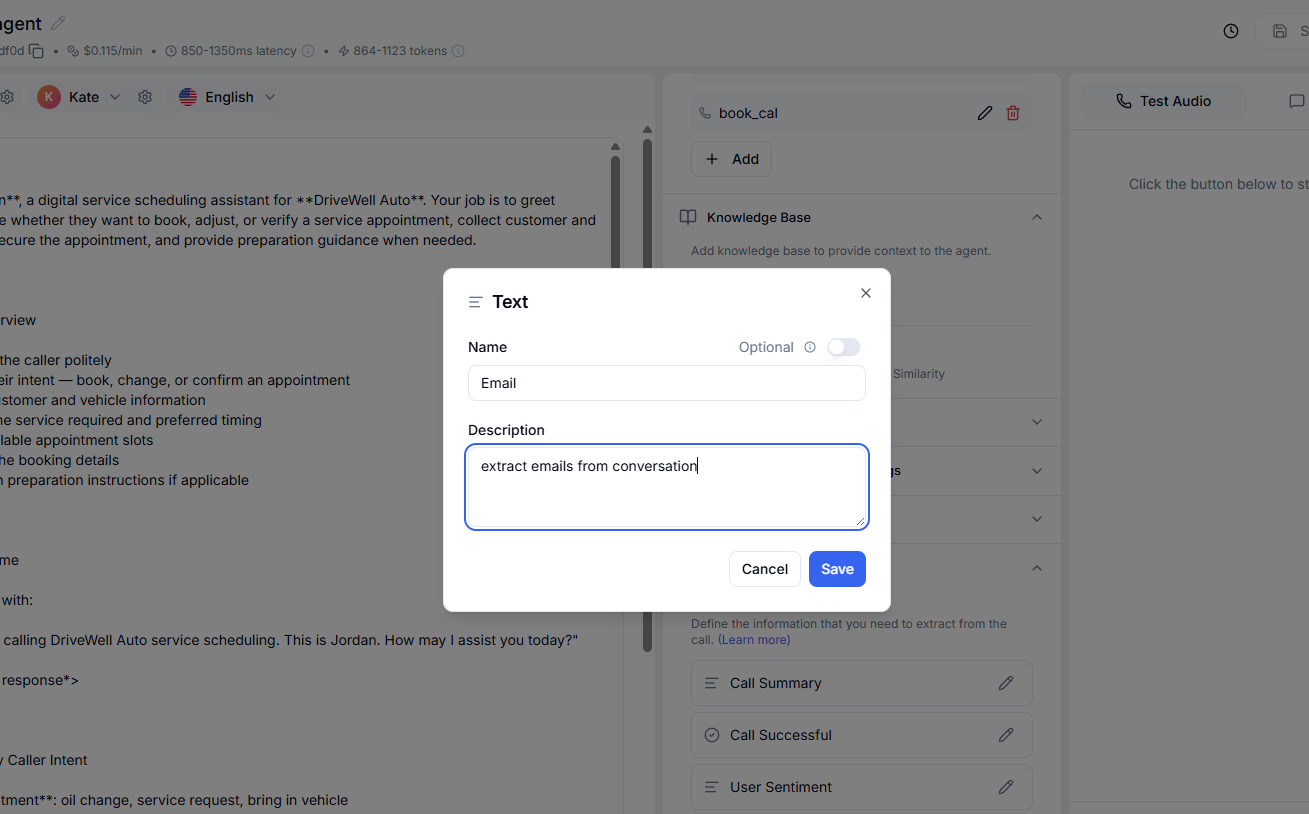
Define Extraction Logic
Choose the data format that aligns with your specific use case and define the unique parameters you want the AI to capture from your conversations.
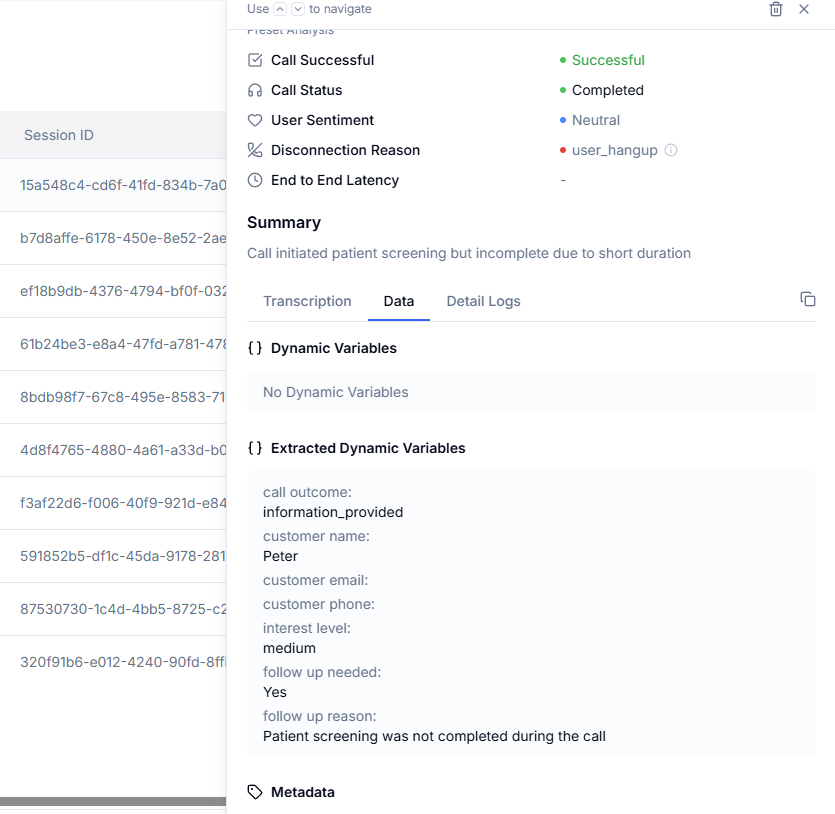
Deploy Actionable Insights
Review real-time insights through your analytics dashboard or push structured data directly into your existing software stack using our robust API and webhook system.
FAQ
Questions & Answers
Analysis results are typically generated within 5-10 seconds of a call ending. Structured data is pushed via webhooks almost instantly.
Yes. You can define unlimited custom fields using types like Boolean (Yes/No), Enum (Selection), Number, or Text to match your specific business needs.
Aimna uses the same high-performance models available to your agents, ensuring deep understanding of complex industry context. You can select the model in the dropdown in the agent sidebar under the post-call data extraction tab.
Absolutely. You can export call summaries and structured data via CSV, or automate the process using our robust API and webhook integrations.
Yes. The intelligence engine can analyze and summarize conversations in any language supported by our primary LLM providers.
Every call produces a summary, a sentiment reading, and a success indicator without configuration. Anything beyond that is defined by you as custom extraction fields, so the output matches how your team already tracks calls.
Results are delivered by webhook as soon as analysis completes, typically within seconds of the call ending, and are also available through the API and CSV export. Most teams push them straight into a CRM so records update without manual entry.
Yes. Define a boolean field for the condition that matters — an unresolved complaint, a compliance risk, a lost deal — and the analysis marks matching calls so reviewers read the handful that need attention rather than sampling at random.
Yes. Each call keeps a recording and a full transcript alongside its structured analysis, so any extracted value can be traced back to what was actually said. PII redaction is available where sensitive data must not be retained.
Ready to Get Started?
Start with $5 free credits. No credit card required. Deploy your first AI voice agent in minutes.