Appointment Scheduling
Power Your AI Agent With Appointment Booking
Automate scheduling and booking with AI. Your agent checks real-time availability, confirms slots, and keeps every interaction seamless — all during a live phone call.
What is AI appointment booking?
AI appointment booking is a voice agent that schedules appointments during a live phone call — checking real availability, offering times, confirming the slot, and writing it to your calendar before the caller hangs up. There is no callback, no form, and no staff member transcribing details afterwards.
This matters most for the calls businesses currently lose. Appointment requests arrive outside business hours, during busy periods, and while every line is engaged, and a caller who reaches voicemail usually calls a competitor instead. An AI agent answers every one of those calls at the same speed regardless of volume or time of day.
The agent reads live availability from Google Calendar, Microsoft Outlook, Cal.com, or any system reachable through a custom function, so it only offers times that are genuinely free. Because availability is checked at the moment of the call and written back on confirmation, double-booking does not occur even when several calls are in progress at once.
Beyond first-time booking, the agent handles the full lifecycle: looking up an existing appointment by phone number, offering alternatives for a reschedule, processing a cancellation, and sending confirmation by SMS or email. It works across multiple staff members or locations, detects the caller’s timezone, and captures whatever details you need alongside the booking.
Capabilities
AI Appointment Scheduling Features
Check Availability
Book Appointments
Smart Conflict Resolution
Use Cases
Built for Every Scheduling Scenario
Healthcare & Wellness
Capture intake information, verify eligibility, and securely book or reschedule patient visits while reducing no-shows.
Sales Demo Booking
Convert high-intent inquiries into confirmed demos during a single call. Route to the right sales rep automatically.
Virtual Front Desk
Handle initial queries, direct calls appropriately, and schedule visitor appointments — replacing your receptionist.
Automated Follow-Ups
Manage client confirmations for upcoming appointments and handle rescheduling proactively when calendars change.
Field Services
Provide real-time technician availability for HVAC, plumbing, and repairs. Book service windows and trigger reminders.
Marketing Qualification
Qualify leads through targeted questions, then book consultations and demos for your sales team in one call.
How it works
How To Set Up Appointment Scheduling
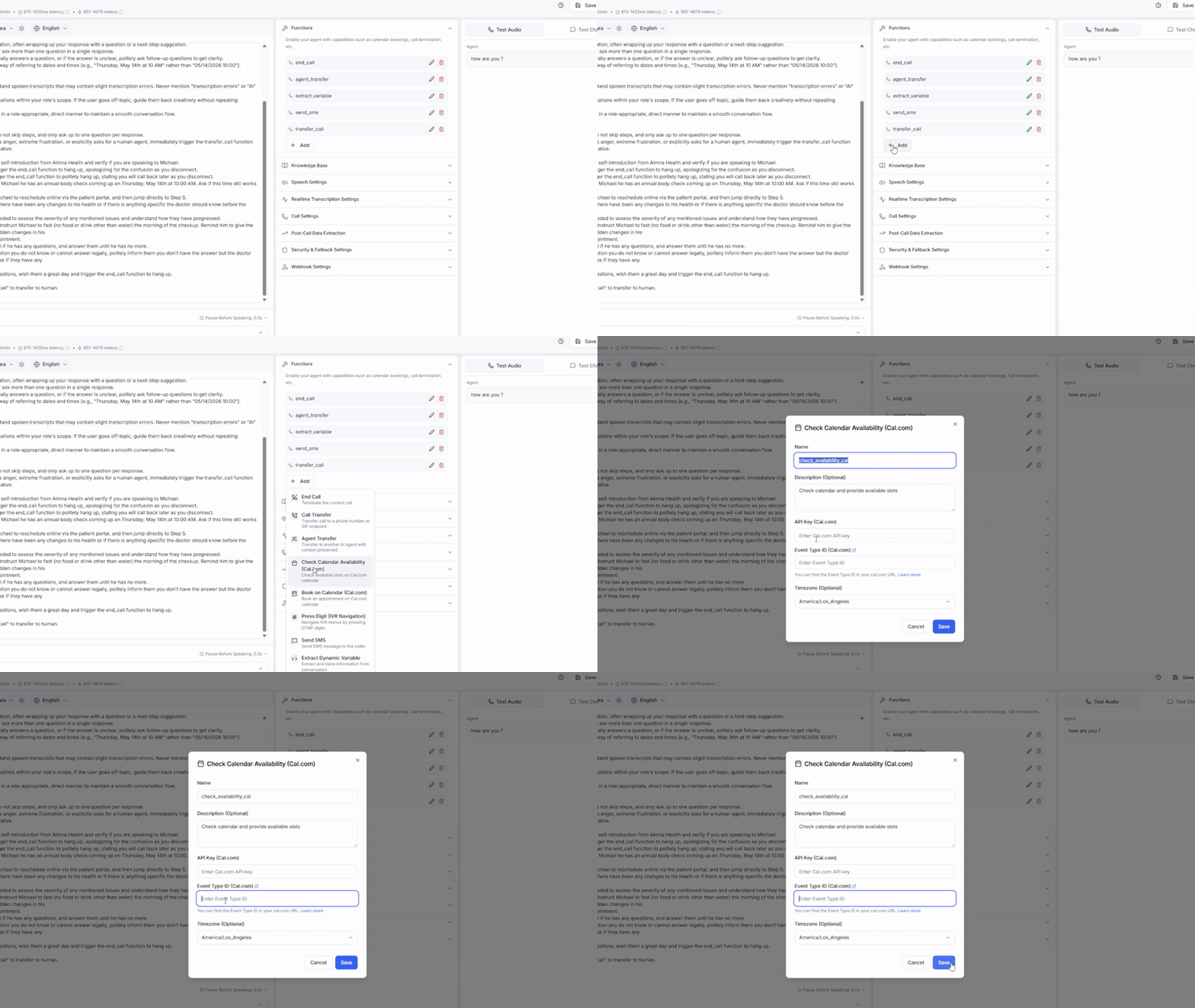
Create Booking Functions
Set up an AI agent for scheduling. Add “Check Availability” and “Book Appointment” to get started.
These functions connect to your calendar provider via API and handle all the booking logic automatically.
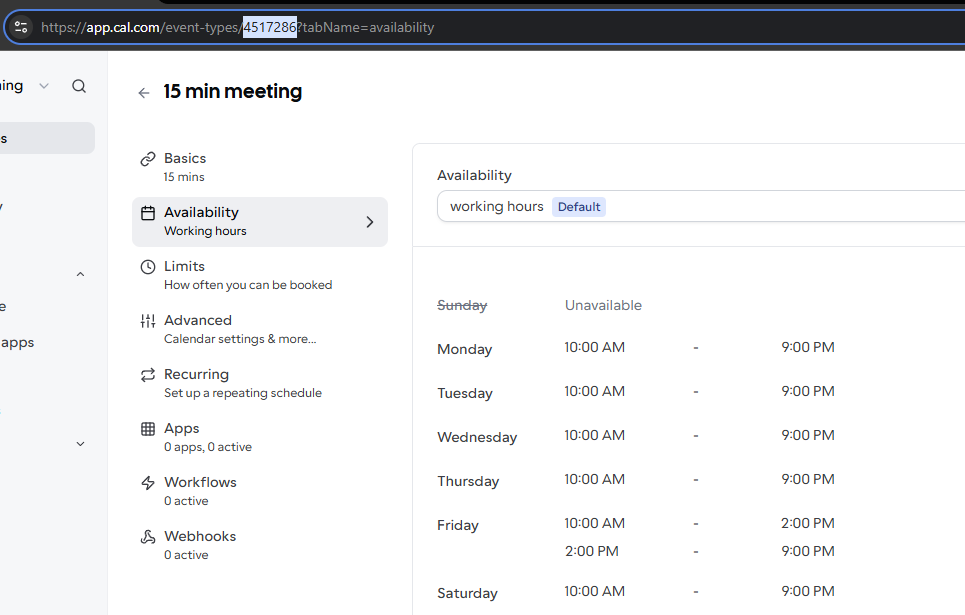
Connect Your Calendar
Link your Cal.com account and event ID. Make sure your time zones are aligned.
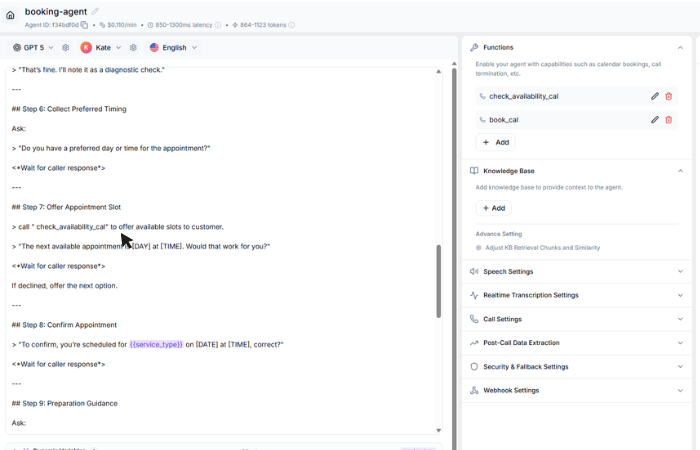
Define your flow
Tell your AI voice agent when to check availability and when to book. Ex. show open slots → confirm the selected time → book instantly.
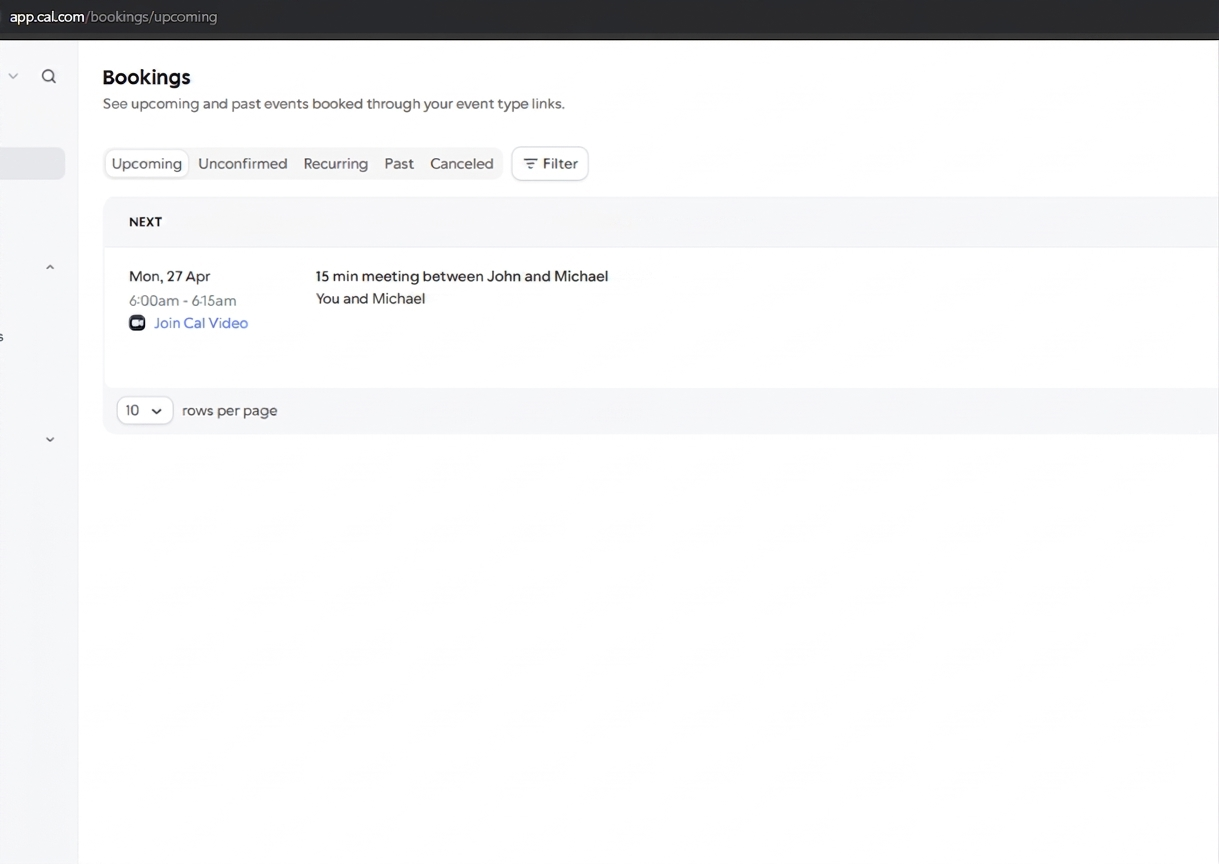
Monitor & Optimize
View all booked appointments on your dashboard. Review call transcripts to see how the AI handled scheduling conversations.
Refine agent prompts based on real interactions to improve booking rates and caller satisfaction over time.
FAQ
Questions & Answers
Google Calendar, Microsoft Outlook, Cal.com, and any system with webhooks or custom functions. Custom integrations are available through our function calling framework.
Yes. The AI can look up existing appointments by caller phone number, offer alternative times, and process cancellations — all during a single phone call.
Absolutely. The AI checks availability across multiple team members and books with the right person based on the caller's needs, department, or service type.
The AI automatically detects the caller's timezone from their area code or asks directly, then converts all times accordingly when presenting availability.
Yes. Booking confirmations are sent via SMS or email immediately. You can also integrate with your existing reminder system via webhooks to reduce no-shows.
Availability is read from your calendar at the moment of the call, not from a cached copy, and the slot is written back as soon as the caller confirms. If a slot is taken while the caller is deciding, the agent notices and offers the next available time.
Yes — that is where most of the value is. The agent answers at any hour and books into whatever availability your calendar exposes, so after-hours callers who would have hung up become booked appointments.
The agent offers the nearest alternatives rather than refusing. You control how many options it proposes and whether it can offer a waitlist or a callback when nothing suitable exists.
Yes. You define the fields to capture — reason for visit, account number, insurance details, address — and the agent gathers them conversationally, then passes them to your calendar or CRM with the booking.
Ready to Get Started?
Start with $5 free credits. No credit card required. Deploy your first AI voice agent in minutes.